
In this guide
1. How to Find Competitor Ads on Meta
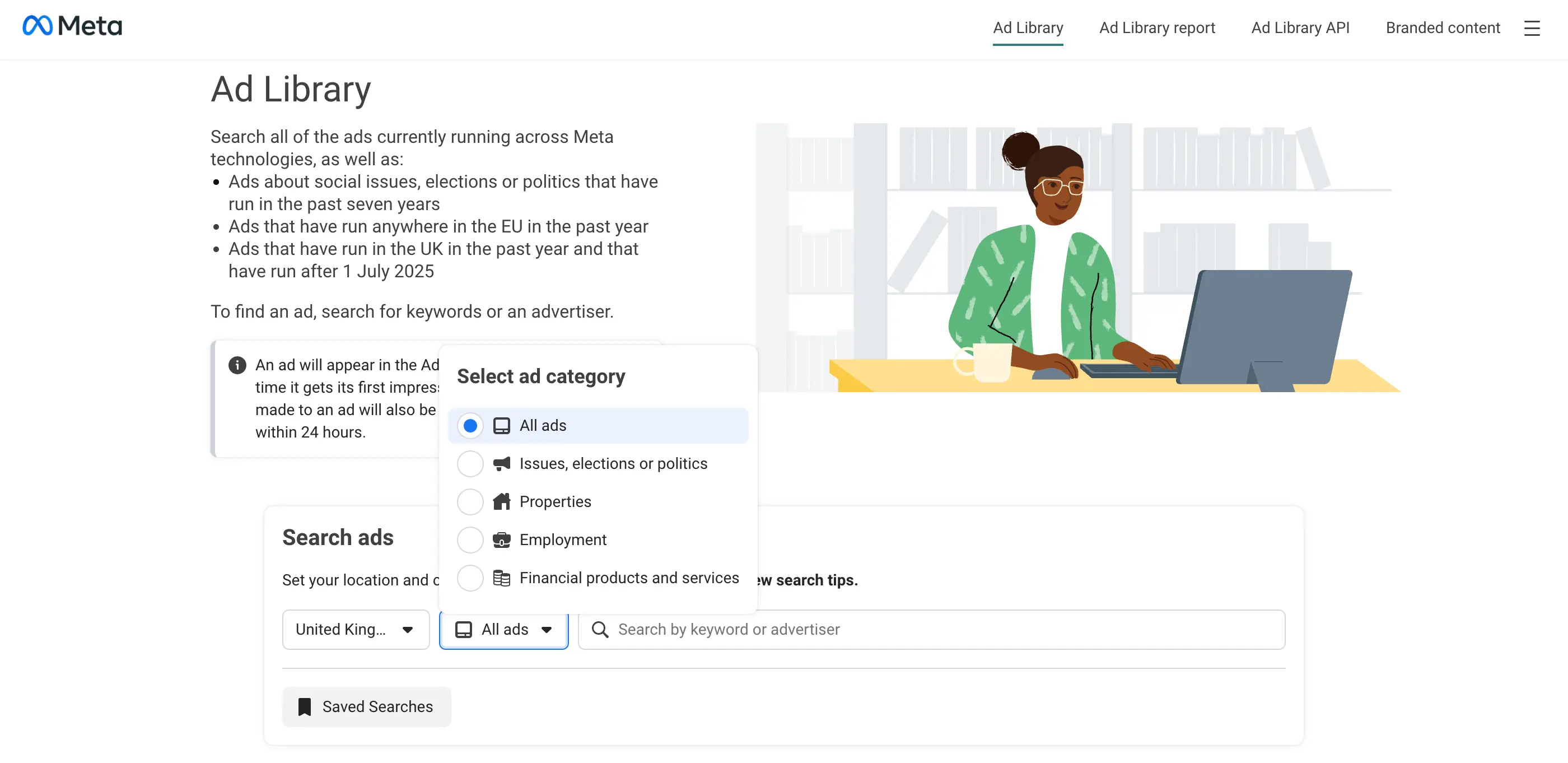
The primary tool, and the one most marketers underuse, is the Meta Ads Library. It's free, publicly accessible, and contains every ad currently running across Facebook, Instagram, Messenger, and the Audience Network. Meta built it for transparency purposes, but for marketers it functions as a window into what every brand in your space is actively testing right now.
What the Meta Ads Library shows you
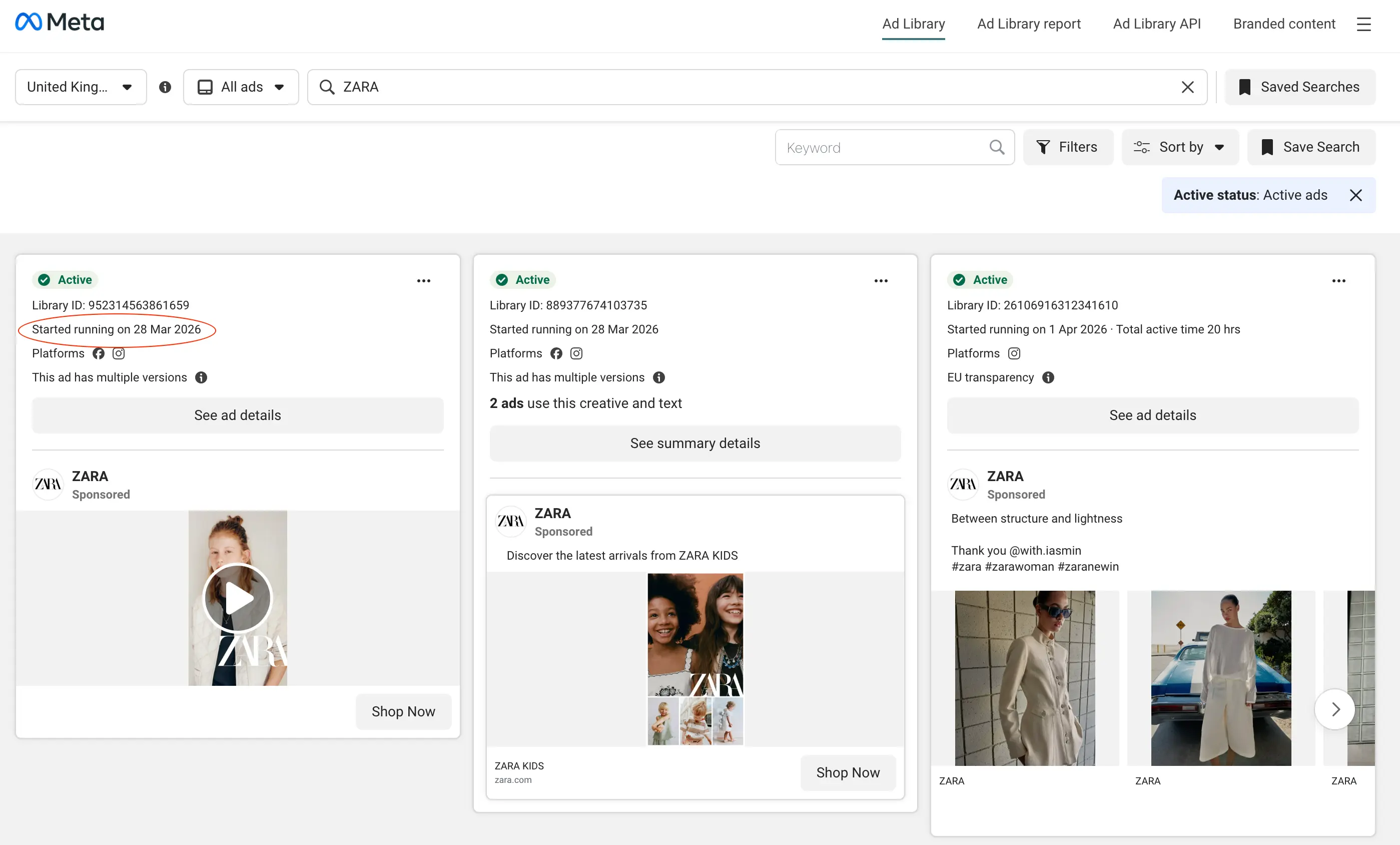
For any active ad, the Library surfaces the full creative (image, video, or carousel), the primary copy and headline, the call-to-action button, the date the ad started running, and which platforms it's appearing on. In EU countries, it also shows estimated reach and spend ranges under the Digital Services Act (genuinely useful for benchmarking budget and scale against competitors).
How to use it effectively
Search strategically. Start with your direct competitors, then expand to aspirational brands in adjacent categories. A B2B SaaS team, for example, learns a lot from studying how market leaders in their space frame ROI claims, even if they're targeting different company sizes. Cast your net slightly wider than your immediate competitive set.
Don't stop at the first few ads. The Library defaults to showing recently launched ads, which means you're seeing what was started lately, not necessarily what's been running longest or performing best. Scroll deeper, and use the date filters to look back further. The most valuable ads are often not the newest ones.
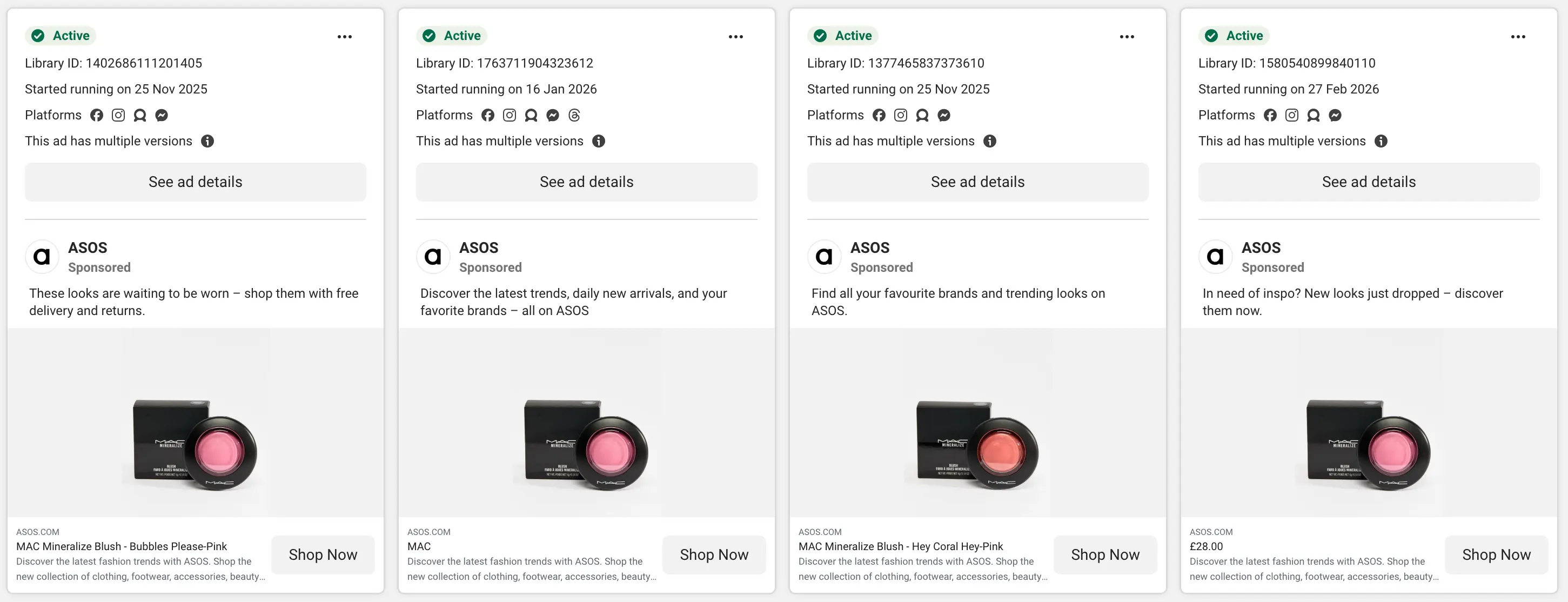
Track multiple brands. Looking at one competitor gives you ideas. Looking at five to ten gives you patterns. Patterns are where the real insight lives, when three competitors are all leading with the same pain point. That tells you something important about what the audience in your category actually responds to.
What the Ads Library doesn't show you
It's worth being clear about the gaps. The Library only shows currently active ads (paused or deleted campaigns aren't reliably archived). It provides no performance data outside of EU reach estimates. It gives you no visibility into audience targeting, what retargeting sequences look like, or how creative has evolved over time. And there's no native way to save, tag, or organize what you find. The Library has no swipe file functionality. For basic discovery, these limitations are manageable. For ongoing competitive intelligence, they're significant, and we'll come back to this in section four.
2. What to Actually Analyze from Competitor Ads
Most marketers look at a competitor ad and ask: "Does this look good?" That's the wrong question. A visually polished ad that's been running for three days tells you almost nothing. An unpolished UGC video that's been live for two months tells you almost everything you need to know. The goal isn't aesthetic judgment. It's understanding the strategic choices behind each ad and why they were made.
The hook
The hook (the first line of copy, or the opening frame of a video) is the single most important element of any ad. It's what stops the scroll, and it's almost always the most heavily tested part of a campaign. When you're analyzing competitor ads, pay close attention to how they're framing the entry point: are they leading with a problem the customer already has, or a result they want to achieve? Is the tone emotional or rational? Urgent or measured?
Example: two hook strategies for the same product
"Still wasting hours tracking competitor ads manually?"
"See every competitor ad, across every platform, in one place."
Neither hook is universally better; context and audience determine which outperforms. But if a brand has been running a pain-led hook for 45 days without changing it, that's a strong signal it's working for their audience. That's the kind of detail worth capturing.
The creative format
Look beyond whether an ad uses video or static and ask what the creative is actually communicating about the brand's relationship with its audience. Is it UGC (raw, personal, trust-building) or polished production that positions the brand as aspirational? Is it product-led or lifestyle-led? Does it use text overlays, captions, voiceover? These choices are rarely accidental at scale.
Pay particular attention to the ratio of UGC to polished content. Brands that have shifted heavily toward UGC are usually doing so because it's outperforming their studio-produced creative. That's a meaningful directional signal for your creative strategy as well as theirs.
The offer
What mechanism are they using to drive action? A free trial, a percentage discount, a lead magnet, a product demo, a money-back guarantee, free shipping? The offer structure reveals what conversion mechanic they rely on, and gives you indirect insight into their customer acquisition economics. A brand leading with "50% off your first order" is prioritizing volume. A brand leading with "book a personalized demo" is working a longer consideration cycle. Both are useful to understand in the context of how you position your own offer.
The landing page
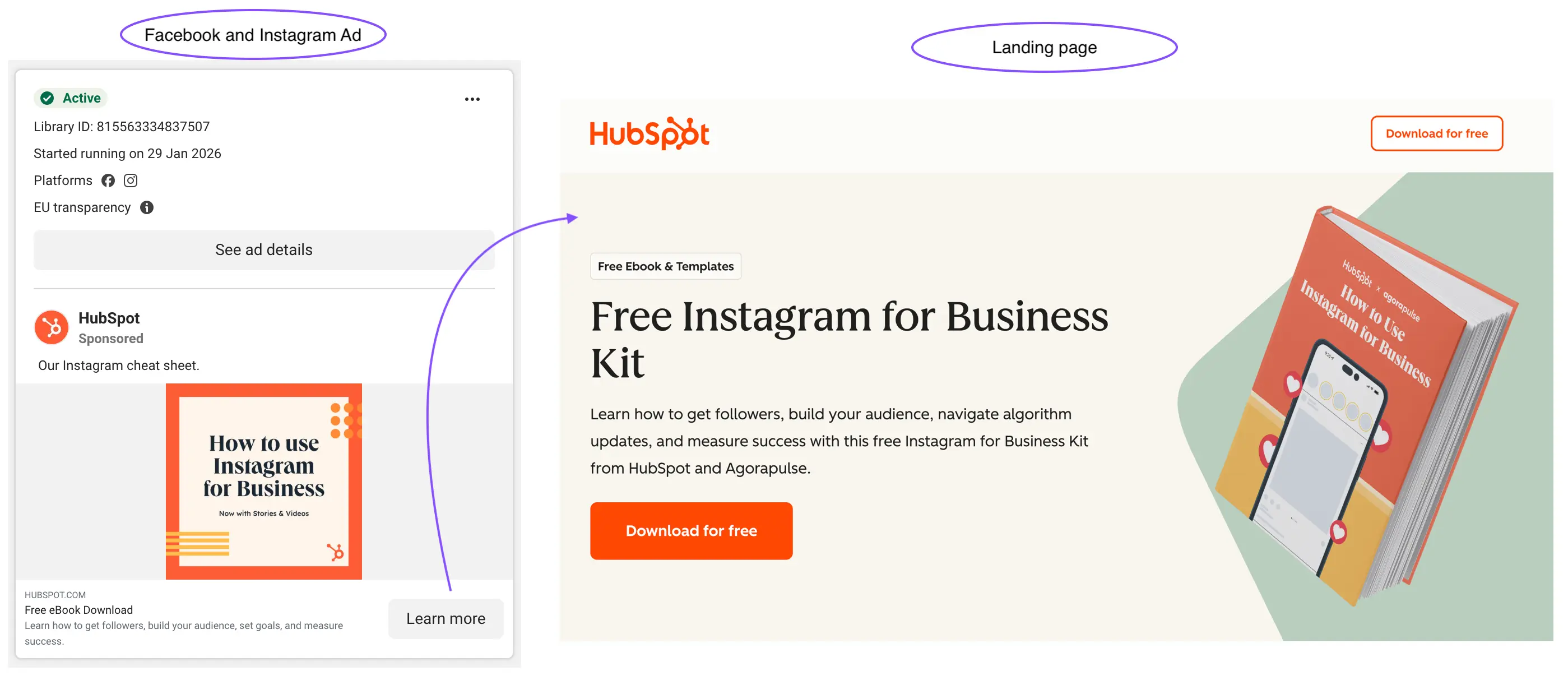
This is the most consistently overlooked part of competitor ad research. The ad is only half the funnel. The landing page reveals what happens after the click. Does the messaging match the ad, or is there a disconnect? Is the page built around a single conversion action or does it try to do too many things? Is there a quiz, a video sales letter, an advertorial, or a direct product page?
When a brand runs a consistent hook in their ads and a consistent headline on their landing page, that usually means they've validated message-market fit through testing. Understanding the full funnel (not just the ad creative) is what moves your research from "I like this ad" to "I understand their strategy."
3. How to Identify What's Working Without Performance Data
Meta doesn't share performance metrics in the Ads Library: no impressions, no click-through rate, no ROAS. So you have to work from proxy signals. These aren't perfect substitutes for real data, but they're reliable enough to make meaningful inferences when you know what to look for and how to weigh them.
| Signal | What it looks like | What it tells you |
|---|---|---|
| Ad run time | The same ad has been live for 30, 60, or 90+ days with no major changes | Brands don't keep paying for ads that aren't working. Long run time is the strongest single performance proxy available to you. |
| Creative repetition | Multiple ads use the same visual style or messaging angle across different campaigns | When a brand repeats a creative pattern, they're signaling confidence in that approach, usually based on results. |
| Variation testing | Several ads share the same core concept with small differences (different hooks, visuals, or CTAs) | This is active A/B testing in the open. The concept they keep iterating on is the one showing promise in their data. |
| Ad volume | A brand is running 15, 25, or 40+ active ads simultaneously | High ad volume indicates an active testing culture and meaningful budget. It also means their team is extracting learning at scale. |
| Cross-campaign consistency | The same positioning or value proposition appears across multiple campaigns over time | Consistent messaging that persists across months is strategic, not accidental. It usually means they've validated that angle with their audience. |
The 30-day rule
Any ad that's been running for 30 or more days without major changes is almost certainly profitable, or at minimum serving a deliberate retargeting or brand-building purpose. These are the ads worth your closest attention. Don't analyze everything equally; prioritize longevity.
4. Why Manual Tracking Breaks Down
Everything in the first three sections is achievable with the Ads Library and some discipline. So why do most marketing teams still feel like they're flying blind on what competitors are doing? Because manual research has a fundamental scaling problem, and it compounds quickly.
Here's what it actually looks like in practice: you open the Ads Library, search a few competitors, screenshot the ads that catch your attention, and drop them into a folder or a Notion page. That feels like a system for the first few weeks. Then the folder gets disorganized. You can't remember when you saved things or why. A competitor launches a new campaign and you miss it because you didn't check that week. A colleague runs the same research from scratch the following month because they couldn't find yours. The spreadsheet you started stops getting updated after four entries.
This isn't a discipline problem. It's a structural one. The Ads Library was built for transparency, not for ongoing competitive intelligence. It has no mechanism to track brands over time, no alerts for new activity, no saved searches, no cross-brand comparison view, and no shared workspace for teams. Using it as your primary research infrastructure is like using a search engine as a project management tool. It was never built for that job.
Without a proper system
- Hours lost searching across multiple tabs and platforms
- Insights buried in screenshots no one else can find
- Competitor monitoring is inconsistent, so new campaigns get missed
- Teams repeat the same research from scratch each cycle
- No alerts when a competitor launches something new
- No visibility into trends, run times, or cross-channel activity
- Landing pages get ignored, so only half the funnel is ever seen
With a structured system
- Find ads across any brand instantly, on any platform
- Save and organize creatives into shared, searchable collections
- Automatically monitor competitors, so nothing falls through the cracks
- Build on previous insights rather than repeat the same work
- Get instant or scheduled alerts when new ads launch
- See trends, run times, and performance signals at a glance
- View landing pages alongside creatives for the full picture
The core problem isn't that the information isn't accessible. It's that there's no single place to capture it, organize it, and act on it as a team. And inconsistency in competitive research means missed signals, slower creative iteration, and falling behind competitors who have figured out a better workflow.
5. How to Turn Ad Research Into a System
The shift that separates high-performing marketing teams from the rest isn't just better research. It's ongoing research. Knowing what a competitor was running three months ago is useful context. Knowing what they launched this week is a competitive advantage. The goal is to make competitive intelligence something that happens continuously in the background, not something you scramble to piece together before a quarterly review.
Define your watchlist deliberately
Start by naming the five to ten brands you want to monitor consistently: direct competitors, brands that share your audience without competing directly, and one or two aspirational brands whose marketing you respect. Having a defined list (rather than ad-hoc searching) is the foundation of a repeatable system. It also forces a useful question: whose advertising is actually worth learning from, and why?
Shift from checking to being notified
The biggest practical improvement you can make to your competitive research workflow is replacing manual checking with alerts. Instead of remembering to look at what competitors are running, a good system surfaces that information to you (via email, Slack, or a dashboard digest) when something new launches. This is the difference between reactive and proactive competitive intelligence.
Build a shared, organized swipe file
A swipe file only has compounding value if it's organized well enough for anyone on your team to use it. That means tagging by theme and message angle, not just by brand. It means recording run time and platform alongside the creative. And it means being disciplined enough that when someone picks up an old entry six months from now, they understand what they're looking at and why it was worth saving.
What a good monitoring workflow looks like in practice
Define your watchlist → receive alerts when tracked brands launch new ads → save creatives with context into shared collections → review patterns monthly → brief your creative team with structured findings, not a folder of decontextualised screenshots.
This is the exact problem we built Adluv to solve. Instead of stitching together the Ads Library, a third-party spy tool, a Notion swipe file, and a manual tracking spreadsheet, Adluv gives your team one place to monitor any brand across Meta, Google, LinkedIn, and beyond, with landing pages, run-time data, real-time alerts, and collections everyone can contribute to and build on over time.
Utilize AI-native ad intelligence
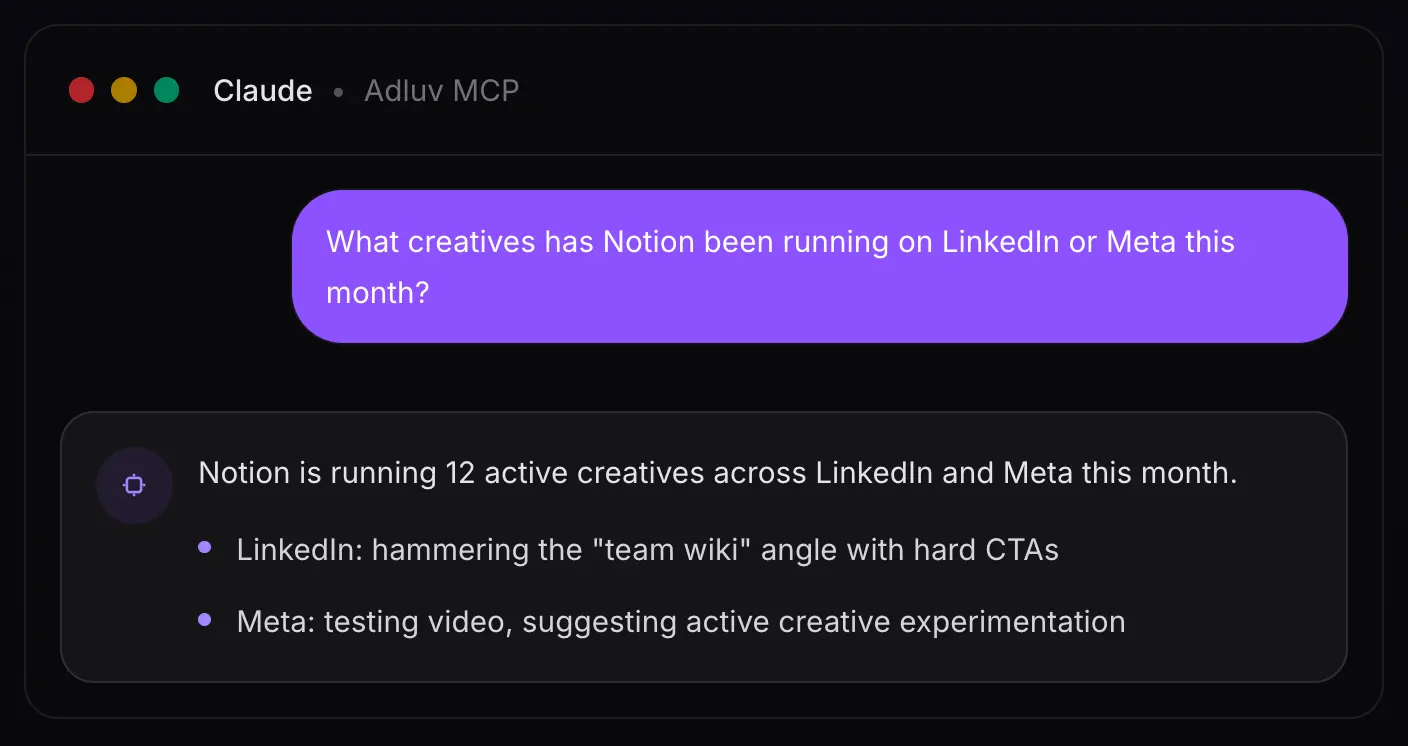
Adluv plugs into your AI workflow via Model Context Protocol (MCP) so research happens where the thinking does. Instead of switching between a dashboard and your AI tool to make sense of what you're seeing, you can query Adluv's competitor ad data directly from Claude, Cursor, or any MCP-compatible client.
In practice, that means you can ask questions like:
→ "What hooks has [competitor] been testing on Meta in the last 30 days?"
→ "Which of our tracked brands has the most new creative activity this week?"
→ "Summarize the landing page strategy for [competitor]'s current Meta campaigns."
6. Competitor Ads: Common Mistakes to Avoid
Copying instead of understanding
The temptation when you find a strong competitor ad is to reproduce it (same format, similar copy, comparable visual treatment). Resist this. What you can copy is the surface execution. What you can't copy without genuinely understanding it is the strategic logic underneath: why that hook, for that audience, at that stage of the funnel, with that offer. Focus on the patterns and principles that explain why something works. Individual executions are just the evidence.
Only watching one competitor
A single data point is an anecdote. Five data points is the beginning of a trend. When you only track one brand, you risk over-indexing on their specific constraints (their budget, their brand voice, their particular audience segment). Looking across five to ten brands gives you a much cleaner read on what the market as a whole is responding to, versus what's just working for one company in one context.
Ignoring the landing page
An ad without its landing page is half a story (and often the less informative half). Some of the most revealing strategic signals live on the page after the click: how the brand frames value, which objections they address, how they structure the path to conversion, and what they're willing to offer to close the gap. Always follow the click. The ad gets attention; the landing page does the work.
Treating research as a one-time event
Competitive ad strategy evolves constantly. A brand running heavy discount offers in Q1 may have shifted to a product education angle by Q3. A competitor that was barely present on Meta six months ago might now be spending aggressively and testing new audiences. The value of competitive research compounds over time, but only if you're doing it consistently. A single research sprint followed by months of inattention is not a system. It's a snapshot that gets stale in weeks.
Key takeaways
- The Meta Ads Library is free and shows all active ads, so use it as your starting point
- Analyze hooks, offer structure, creative format, and landing pages, not just aesthetics
- Use proxy signals (run time, repetition, variation testing) to infer what's actually performing
- Ads running 30+ days are almost always profitable, so prioritize these in your analysis
- Manual tracking works briefly, then breaks down, usually faster than you expect
- The teams that win at competitive research treat it as ongoing, not occasional
- A proper system means automatic tracking, real-time alerts, and shared, organized storage
- Adluv's MCP integration lets you query competitor ad data directly inside Claude, Cursor, and other AI tools, so research happens where the thinking does
Stop Piecing Together a System. Use One That Already Works.
Adluv tracks ads across any brand, instantly. Monitor competitors and target accounts across Meta, Google, LinkedIn and beyond, with landing pages, run-time data, real-time alerts, and shared collections your whole team can build on. Plus: query it all directly from Claude or Cursor via our MCP integration.